
Symptoms
-
Device prompts for Bitlocker recovery key at every restart
-
If the device is a HP Elitebook 840 G9 (my example – but from what im seeing, this is affect other models as well) – and running BIOS version 1.18
-
The event log “Applications and services -> Microsoft -> Windows -> Bitlocker API -> Management” shows repeated events along the lines of
-
BitLocker successfully sealed a key to the TPM.
PCRs measured include [7,11].
The source for these PCRs was: Secure Boot.
-
Cause
-
If the device has not updated its secure boot certificates and moves to BIOS version 1.18 – and then tries to update the Secure Boot certiticates – this issue will occur.
-
If the device has already updated Secure Boot certificates and then updates its BIOS to 1.18 – the issue does not occur
Note : The BIOS version on the HP elitebook 840 G9 must be 1.16 or 1.17 to support the Secure Boot update
Workaround
-
It is expected at some point that HP will fix the 1.18 BIOS release – so this workaround should be considered temporary
-
Turn off bitlocker using “manage-bde -off C:” from an elevated cmd prompt
-
Play the waiting game (machine is still usable during said waiting game) and check status using “manage-bde -status C:” until percentage encrypted hits 0%
-
Download the 1.17 BIOS from https://support.hp.com/sk-en/drivers/hp-elitebook-840-14-inch-g9-notebook-pc/2101000805
-
Run the install process – it should specifically list the BIOS as a downgrade. You may also need to enter the BIOS password
-
Reboot – considering bitlocker is now disabled – should not prompt for recovery key
-
The BIOS screen will promopt the user with a screen similar to this
-
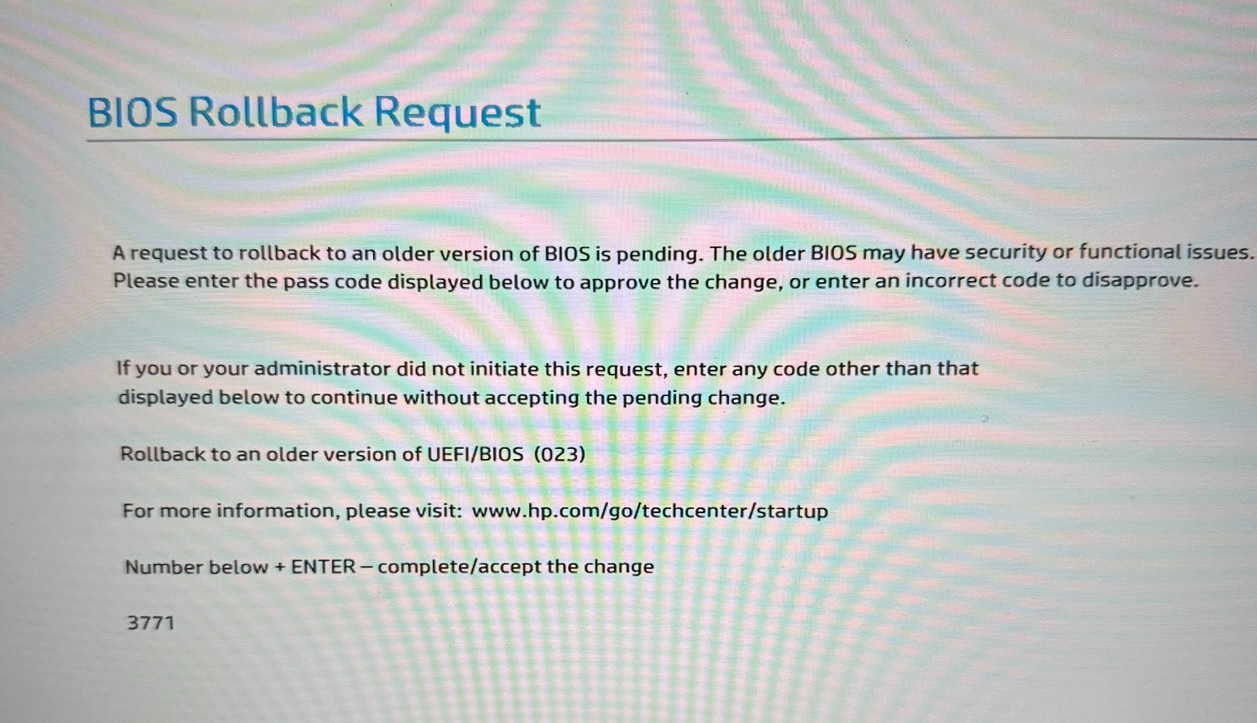
Get the user to enter the code specified to allow the BIOS downgrade to continue
-
-
Once downgraded, check the system event log for event ID 1799, 1801 and 1808…. these are the secure boot update event ID’s. Once we have 1808 – we are all done.
-
After one reboot, you should see an event 1799 or 1801 similar to this
-
Boot Manager signed with Windows UEFI CA 2023 was installed successfully
-
-
After another reboot, you will see an event ID 1808 with text similar to this
-
This device has updated Secure Boot CA/keys. This device signature information is included here.
DeviceAttributes: FirmwareManufacturer:HP;FirmwareVersion:U71 Ver. 01.17.00;OEMModelBaseBoard:8ABB;OEMManufacturerName:HP;OSArchitecture:amd64;
BucketId: 856a1c26ca9b59166ad4ba598387236793398a988321d4a9b6e0964756685b52
BucketConfidenceLevel: Under Observation – More Data Needed
UpdateType: Windows UEFI CA 2023 (DB), Option ROM CA 2023 (DB), 3P UEFI CA 2023 (DB), KEK 2023, Boot Manager (2023)
-
-
-
Once secure boot has updated correctly, we can then re-apply bitlocker – using whichever method you prefer (i use an SCCM task sequence)